Beyond Easy and Hard: A 2D Approach to Worksheet Difficulty
Most educational software uses a simple 1D difficulty slider. We built something better: a constrained 2D space that separates problem complexity from instructional support.
Most educational software treats difficulty as a one-dimensional slider: easy → medium → hard. But anyone who's taught students knows that difficulty is more nuanced than that.
We've built a new approach for our addition worksheet generator that treats difficulty as two independent dimensions: problem complexity (Challenge) and instructional support (Support). And critically, we constrain the combinations to only those that are pedagogically valid.
Here's why this matters and how it works.
The Problem with 1D Difficulty
Imagine you're a teacher working with two students:
Student A: Ready for harder problems with multi-digit regrouping, but still benefits from visual aids like ten-frames and place value colors.
Student B: Comfortable working independently without scaffolding, but struggles with complex regrouping and needs simpler problems.
With a traditional "easy/medium/hard" system, you're stuck:
- Setting difficulty to "hard" gives Student A complex problems... but removes all the visual support they still need
- Setting it to "easy" gives Student B the scaffolding-free experience they want... but the problems are too simple
You can't express "hard problems with visual aids" or "easy problems without scaffolding" because difficulty conflates two completely different things: the intrinsic complexity of the problem and the amount of instructional support provided.
Our Solution: Challenge × Support
We split difficulty into two independent dimensions:
Challenge Axis (Regrouping Complexity)
How complex is the problem itself?
- Low: Simple addition, no carrying (23 + 15)
- Medium: Some regrouping in ones or tens place (47 + 38)
- High: Frequent regrouping across multiple place values (587 + 798)
This is intrinsic cognitive load — the inherent difficulty of the problem regardless of how it's presented.
Support Axis (Scaffolding Level)
How much instructional support is shown?
- High support: Carry boxes, answer boxes, place value colors, ten-frames
- Medium support: Carry boxes when needed, colors for larger numbers
- Low support: Minimal or no scaffolding, student works independently
This is extraneous cognitive load — the mental effort required by how the problem is presented and supported.
But Here's the Crucial Part: Constraints
Not all combinations of Challenge and Support are pedagogically valid.
High challenge + High support doesn't work well. If you're giving students complex multi-digit regrouping problems but showing them every step with maximum scaffolding, you're preventing them from developing problem-solving strategies. They're just following the scaffolds, not thinking.
Low challenge + Low support is pointless practice. If the problems are trivially simple and you're not providing any instructional structure, students aren't learning anything new.
So we constrain the space to a diagonal band of valid combinations:
                    Support (Scaffolding) →
                Low         Medium        High
Challenge  High   ✓            ✓           ✗
(Regrouping)      ✓            ✓           ✓
          Medium  ✗            ✓           ✓
                  ✗            ✗           ✓
          Low     ✗            ✓           ✓
As challenge increases, support must decrease (and vice versa). This encodes a fundamental pedagogical principle: students learning new concepts need support, but as they master the concept, support should fade.
Visual Examples
Here's what this looks like in practice. Below are actual worksheet examples showing the same problem complexity (problems with moderate regrouping) but with different levels of scaffolding:
Full Scaffolding
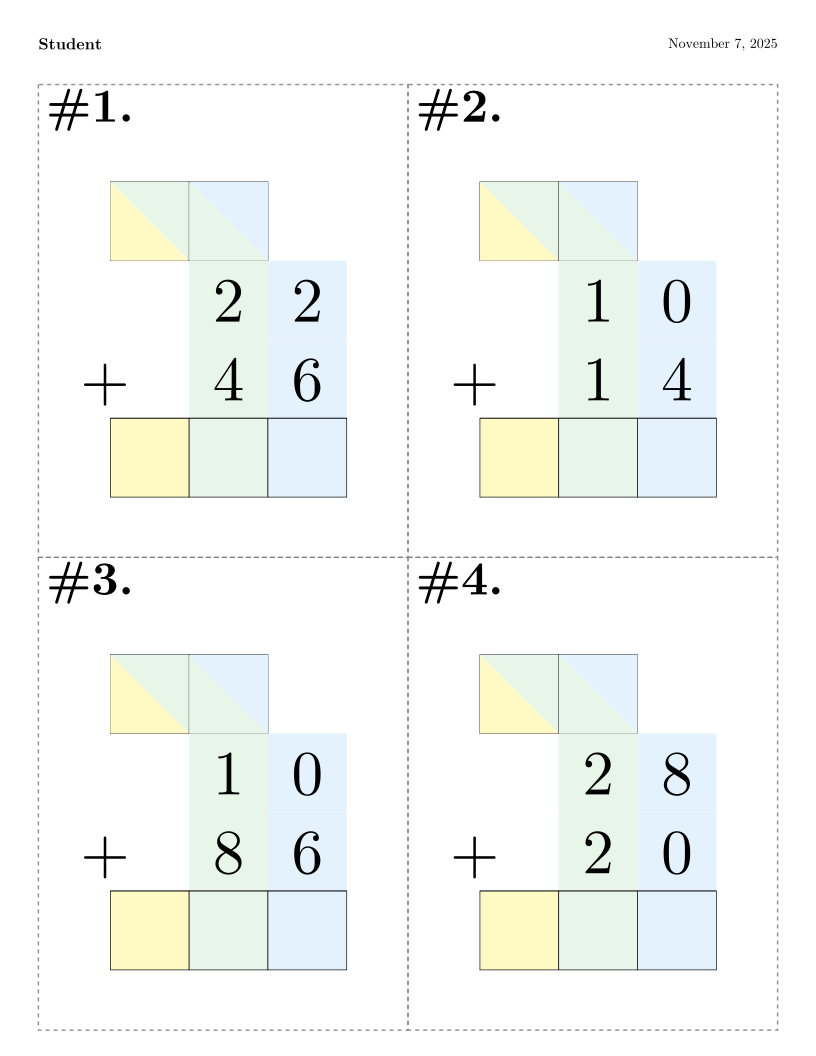 Maximum visual support: carry boxes always shown, answer boxes, place value colors, and ten-frames for every step.
Medium Scaffolding
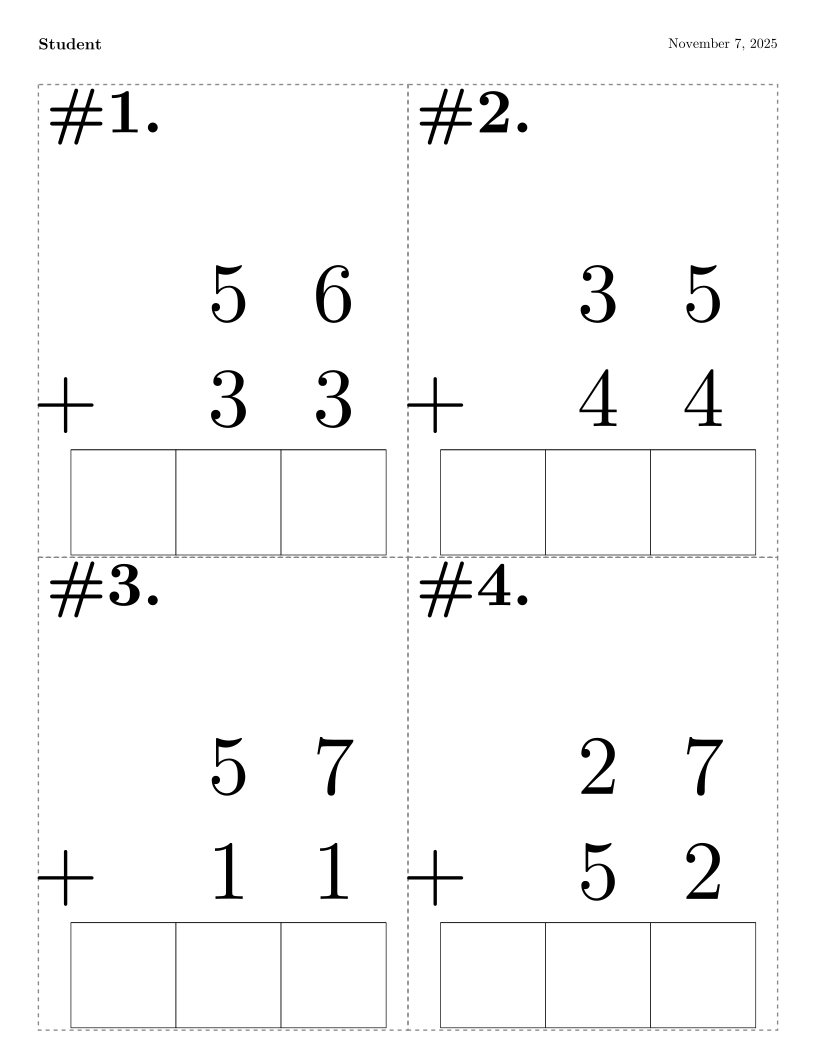 Strategic support: carry boxes appear when regrouping occurs, answer boxes provided, place value colors for 3+ digit numbers.
Minimal Scaffolding
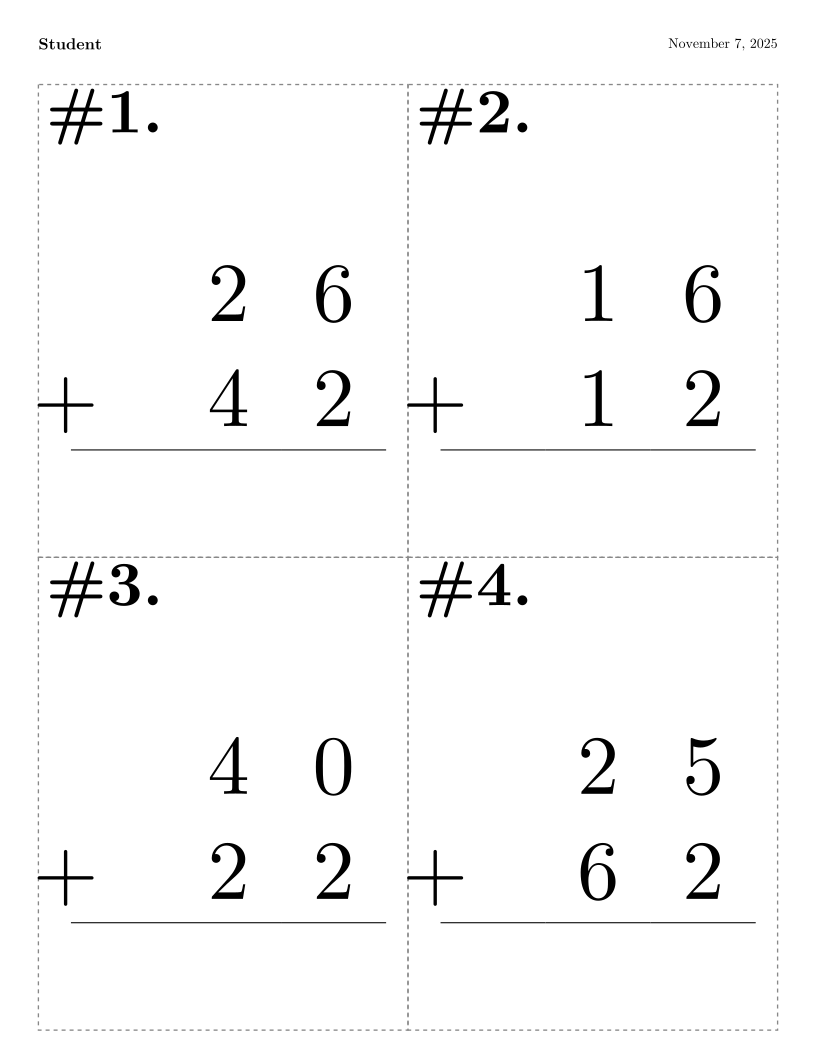 Minimal scaffolding: carry boxes only for complex problems with multiple regroups, no answer boxes or colors.
No Scaffolding
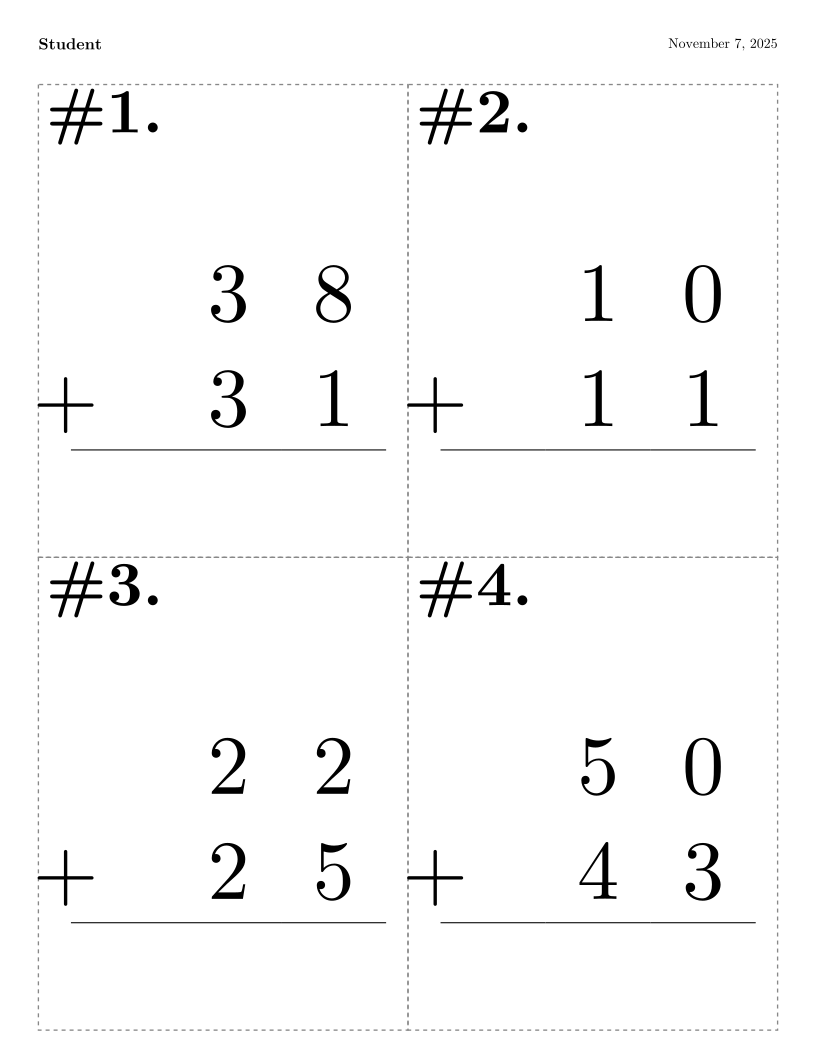 Zero scaffolding: students work completely independently with no visual aids.
Notice how the problem complexity stays constant (all use the same regrouping probability), but the scaffolding progressively fades. This demonstrates how support can be adjusted independently from problem difficulty, allowing teachers to precisely target their students' needs.
Theoretical Foundation
This isn't just intuition — it maps to established learning theory:
Zone of Proximal Development (Vygotsky): The diagonal band represents the learnable space. Too easy = already mastered. Too hard without support = beyond reach. The valid combinations are where learning happens.
Cognitive Load Theory (Sweller): Effective instruction balances intrinsic load (problem complexity) and extraneous load (instructional design). Our constraints prevent overload from either source.
Scaffolding Fading (Wood, Bruner, Ross): Temporary supports should be gradually removed as competence develops. The constraint band enforces this fading principle.
How Teachers Use It
The UI provides three ways to adjust difficulty:
1. Default: "Make Harder" / "Make Easier"
The main buttons adjust both dimensions simultaneously, moving diagonally through the valid space toward appropriate preset levels (Beginner → Early Learner → Intermediate → Advanced → Expert).
This is the simple, no-thought-required option that works for most cases.
2. Challenge-Only Adjustment
Click the dropdown arrow, select "More challenge" or "Less challenge".
This moves horizontally — changing problem complexity while maintaining current scaffolding level.
Use case: Student A above. They're ready for harder problems but still need the visual aids. Click "More challenge" to increase regrouping while keeping support constant.
3. Support-Only Adjustment
Click the dropdown arrow, select "More support" or "Less support".
This moves vertically — changing scaffolding level while maintaining current problem complexity.
Use case: Student B above. They understand the concepts and don't need the training wheels anymore. Click "Less support" to remove scaffolding while keeping problems at the same complexity.
Implementation Details
Under the hood, we use a hybrid discrete/continuous architecture:
- Discrete indices for navigation: 19 regrouping levels (0-18), 13 scaffolding levels (0-12)
- Continuous scores for visualization: Calculated on-the-fly for the difficulty graph and preset detection
- Constraint validation at every step: The system auto-corrects invalid states
This gives us:
- Predictable, testable behavior (discrete states)
- Smooth visualization (continuous scores)
- Guaranteed pedagogical validity (constraint enforcement)
Each preset profile (Beginner/Intermediate/etc.) is a specific (challenge, support) coordinate in the valid space. The "Make Harder" button finds the nearest harder preset and navigates toward it, automatically adjusting both dimensions as needed.
Try It Yourself
The system is live at abaci.one/create/worksheets/addition.
Try these scenarios:
- Start at Beginner, click "Make Harder" repeatedly → watch it move diagonally through the space
- Start at Intermediate, use the dropdown to select "More challenge" only → see problems get harder while keeping visual aids
- Start at Early Learner, use "Less support" → watch scaffolding disappear while problem complexity stays constant
- Click on the 2D graph (the orange debug visualization) → jump directly to any valid difficulty point
The graph shows:
- Gray diagonal band: Valid pedagogical combinations
- Colored dots: Preset profiles (B=Beginner, I=Intermediate, etc.)
- Blue cross: Your current position
- Click anywhere to jump there (system auto-corrects to nearest valid point)
Why This Matters
Traditional 1D difficulty forces teachers into a one-size-fits-all progression. Every student moves along the same path from "easy" to "hard", regardless of their individual needs.
Our 2D constrained space enables precise differentiation:
- Students who grasp concepts quickly can reduce support while maintaining challenge
- Students who need more time get continued support while still progressing to harder problems
- Students can move through the space at different angles, not just along a single path
And because the constraints encode pedagogical principles, teachers can't accidentally create nonsensical combinations. The system guides them toward valid instructional choices.
What's Next
This is currently implemented for addition worksheets, but the approach generalizes:
- Subtraction, multiplication, division
- Other domains entirely (reading comprehension, programming exercises, etc.)
- Any learning task where you can separate intrinsic difficulty from instructional support
The code is open source: github.com/antialias/soroban-abacus-flashcards
Technical details: SMART_DIFFICULTY_SPEC.md
Feedback Welcome
We'd love to hear from educators using this system:
- Does the 2D model match your mental model of difficulty?
- Are the dimension-specific controls useful?
- What other domains would benefit from this approach?
Reach out via GitHub issues or try the system and let us know what you think.
This post describes research-in-progress. We're exploring publication in learning sciences venues (ACM Learning @ Scale, IJAIED). If you're interested in collaboration or want to cite this work, see our publication plan.